

Construction estimating software helps contractors build faster, more accurate bids by combining takeoffs, pricing, and repeatable templates. Below is our 2026 comparison of the tools we see contractors actually use — from quick bid takeoffs to full precon estimating.
Key Takeaways
- Best overall for contractors who want speed: Bidi Contracting combines AI takeoffs and estimating in one workflow, cutting manual measurement time significantly on most projects.
- Best for small GCs and remodelers on a budget: Clear Estimates gives you a prebuilt cost database and fast quoting workflow without the enterprise price tag — plans start around $79/month.
- When to use AI vs. traditional estimating: Use AI-powered tools (like Bidi) when your bottleneck is takeoff time or bid volume; use traditional platforms (STACK, ProEst) when you need custom assemblies, large team collaboration, or deep integration with existing Autodesk workflows.
- What to avoid: Don't buy a full PM suite (Buildertrend, Procore) expecting it to replace a dedicated estimating tool — estimating is secondary in those platforms, and you'll pay for features you don't need while still doing estimates manually.
- Hidden cost to budget for: Software price is rarely the biggest expense. Training time, data migration, and running two systems in parallel during the transition often cost more than the subscription — plan for it before you sign.
What is construction estimating software?
Construction estimating software helps contractors measure quantities from plans, apply material and labor costs, and generate accurate bids. Most tools combine digital takeoffs, cost databases, and repeatable templates to reduce manual errors and speed up proposals. The best systems either integrate takeoffs and estimating in one platform—or connect cleanly to dedicated takeoff software.
Quick Picks
- Best Overall: STACK
- Best for Small GCs: Clear Estimates
- Best Free: Excel
- Best for Takeoffs & Estimating: Bidi
- Best All-in-One: Buildertrend
How We Tested
We evaluated the best construction estimating software across six criteria (1–10 scale) using vendor docs, demos, pricing pages, user reviews, and hands-on testing where available:
- Speed to first bid
- Takeoff accuracy
- Ease of use
- Integration with existing workflows
- Cost vs value
- Revision handling
What "best" means for contractors
- Speed: fewer clicks, faster quantities
- Accuracy: auditable, verifiable measurements
- Simplicity: built for estimators, not accountants
Estimating vs Takeoff vs Full PM Suites
| Feature | Takeoff | Estimating | Full PM |
|---|---|---|---|
| Primary focus | Quantities | Costs | End-to-end |
| Main output | Material list | Bid price | Schedule + budget |
| Learning curve | Medium | Medium-high | Steep |
An estimator I talked to who runs bids for a mid-size Seattle commercial GC described switching platforms twice in four years: "The first time we paid for a system and never fully trained on it. The second time we trained on it but it didn't connect to anything — so we were doing double-entry into QuickBooks and nothing ever balanced. Both times the problem wasn't the software. It was that we bought software before we understood what our actual workflow needed. The third time I made a list of exactly where we were losing time, and matched the software to that. We've been on the same platform for two years."
Where most tools fall short
Many construction estimating software tools still struggle with:
- Outdated cost databases
- Too much manual data entry
- Poor integration with accounting
- High seat costs
- Weak revision tracking
Where Bidi Contracting Fits
Bidi combines construction takeoff software and estimating into one workflow: upload your plans, get AI-powered quantities, and build your bid in one place. No need to plug numbers into a separate estimator—Bidi handles takeoff and estimate workflow so you can move from plans to bid faster. For contractors comparing construction bid software, that means fewer tools and less rework.
Contractor Workflow
- Upload plans to Bidi → get takeoffs and build your estimate
- Apply labor, equipment, and markups (in Bidi or your preferred workflow)
- Run QC checklist
- Send proposal
Takeoff QC Checklist
- Cross-check schedules vs plans
- Validate major quantities
- Apply appropriate waste factors
- Peer review high-risk items
The 9 Best Construction Estimating Software Programs for 2026
These are the tools we see contractors actually use (and keep)—from quick bid takeoffs to full precon estimating. If you're shopping for estimating software for contractors or takeoff software, this list covers both. If you already have a workflow you like, you can upgrade the slowest step—or get takeoffs and estimating in one place with Bidi.
1) Bidi Contracting
Best for: GCs and subs who want faster takeoffs and estimates without hiring an in-house estimator.
- Pros: AI blueprint takeoffs and estimating in one workflow; reduces manual measurement and pricing time; structured quantities and bid outputs; team-friendly collaboration.
- Cons: Best results when you pair with a QC checklist and your historical production rates; plan-based pricing varies by volume.
- Pricing: Depends on plan/project volume (see bidicontracting.com for current options).
2) STACK Takeoff & Estimate
Best for: Precon teams that want cloud takeoff + estimating in one tool, especially when multiple people touch bids.
- Pros: Cloud collaboration; takeoff + estimate workflow; strong industry adoption.
- Cons: Annual cost can be meaningful for small teams; estimating customization may take setup time.
- Pricing: Public pricing is typically billed annually. Third-party listings commonly show entry plans around $2,599–$2,999/year for single-user takeoff/estimate tiers (varies by plan/seat).
STACK pricing • SoftwareAdvice pricing notes • G2 pricing
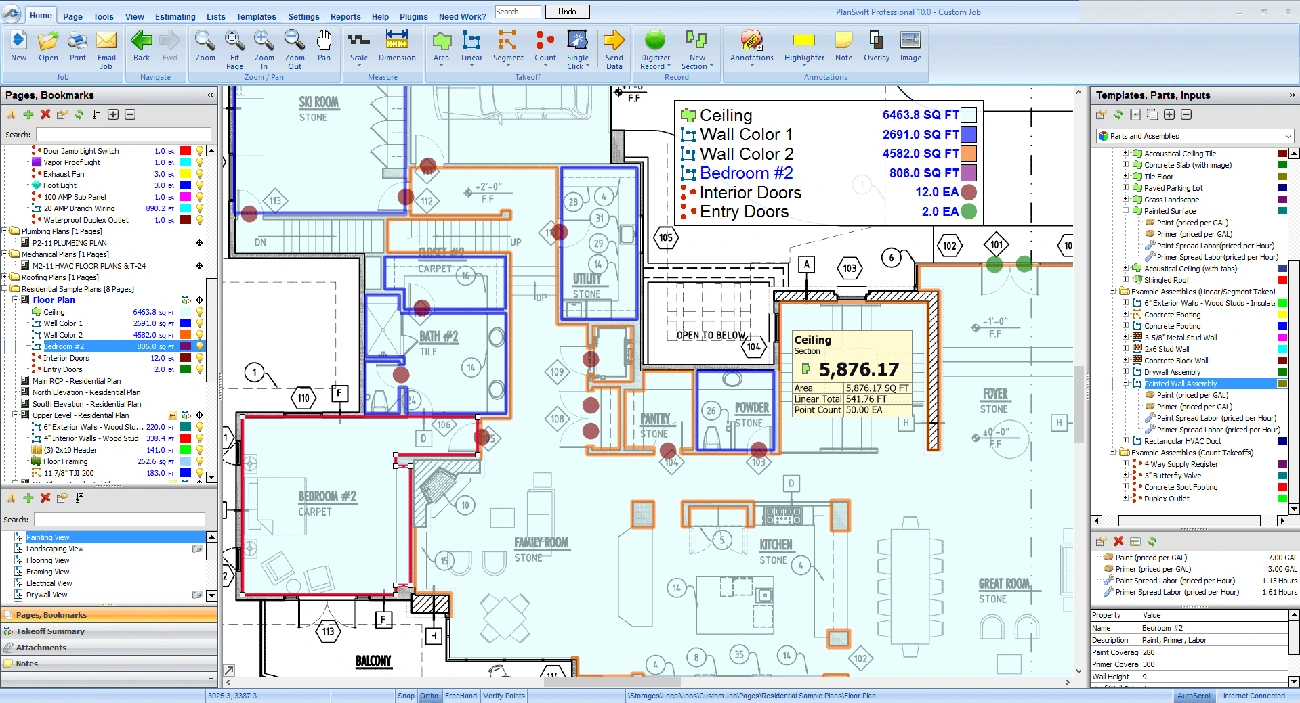
3) PlanSwift
Best for: Contractors who want a proven desktop takeoff tool with solid Excel workflows and assemblies.
- Pros: Fast on-screen takeoff; strong Excel integration; lots of existing templates/training content.
- Cons: Desktop workflow (less modern collaboration than cloud tools); you'll still need a clean estimating process.
- Pricing: PlanSwift lists an annual subscription at $2,000/year.
4) ProEst (Autodesk Construction Cloud)
Best for: Larger estimating teams that need a full precon estimating system (cloud, multi-user) with bid day workflow.
- Pros: Cloud estimating + takeoffs + bid day analysis; designed for larger orgs; strong ecosystem (Autodesk).
- Cons: Overkill for tiny teams; typically quote-based and requires onboarding.
- Pricing: Generally quote-based, but third-party pricing references commonly cite starting around $5,000/year (often positioned as "unlimited users" depending on plan).
ProEst product page • G2 pricing reference
5) Buildertrend
Best for: Residential builders/remodelers who want a full client + production platform (CRM, scheduling, selections, change orders) more than "pure estimating."
- Pros: Strong end-to-end workflow for resi; client portal; scheduling + change management; widely used.
- Cons: Not a dedicated estimating engine; estimating can feel "secondary" depending on your needs; price is usually quote-based.
- Pricing: Buildertrend is custom quote (official). Third-party reviews often report annual totals in the high four figures for many customers, depending on volume and modules.
Buildertrend pricing (quote) • Buildertrend pricing discussion
6) Bluebeam (Subscription)
Best for: Plan review, markups, measurements, and collaboration — especially when takeoff is more manual and you live in PDFs.
- Pros: Best-in-class PDF markup; measurement tools; document sets and collaboration.
- Cons: Not a full estimating database; you'll still build cost structure elsewhere (Excel/estimating tool).
- Pricing: Bluebeam publishes subscription tiers; the Basics tier is listed at $260/user/year (billed annually).
7) Clear Estimates
Best for: Remodelers and contractors who want fast proposals + a prebuilt cost database without heavy setup.
- Pros: Simple quoting workflow; preloaded line items/templates; regular regional price updates (big for resi remodel).
- Cons: Less flexible than full estimating systems; may not match every trade's workflow; complex commercial estimating is not the sweet spot.
- Pricing: Clear Estimates lists plans such as $79/month (Standard, billed monthly) and $119/month (Pro, billed monthly), with annual options available.
8) Buildxact
Best for: Residential builders wanting takeoff + estimating + project workflow in a modern cloud app.
- Pros: Cloud-first; estimating + takeoffs; training/support bundled in many plans; good for resi workflows.
- Cons: Can be pricey as you scale; may require process change if you're deep in Excel templates.
- Pricing: Buildxact publishes pricing; examples include a $599/month "Master" tier (with annual billing discounts shown).
9) Microsoft Excel
Best for: Simple bids, small teams, and anyone who needs a flexible "source of truth" for estimating logic.
- Pros: Infinitely customizable; easy to share; works with nearly every takeoff/export workflow.
- Cons: Easy to break formulas; version control is messy; manual entry becomes a bottleneck as volume grows.
- Pricing: Microsoft lists consumer pricing such as $99.99/year for Microsoft 365 Personal (varies by plan/region).
How to Pick
- If your bottleneck is measurement time or end-to-end bid speed: modern construction estimating software with built-in takeoffs (like Bidi) can help—otherwise consider a dedicated takeoff + estimating tool (PlanSwift / STACK).
- If your bottleneck is pricing structure + consistency: use an estimating platform (ProEst) or templates (Clear Estimates / Excel).
- If your bottleneck is client + production management: consider Buildertrend—but don't expect it to replace serious estimating.
If you're comparing estimating software for general contractors, STACK and ProEst serve different team sizes; Bidi and Clear Estimates are strong options for teams that want takeoff and bid workflow in one place. Bottom line: Most teams don't need a total rip-and-replace. Keep the parts of your workflow that work and upgrade the slowest step first.
Top Estimating Software Categories
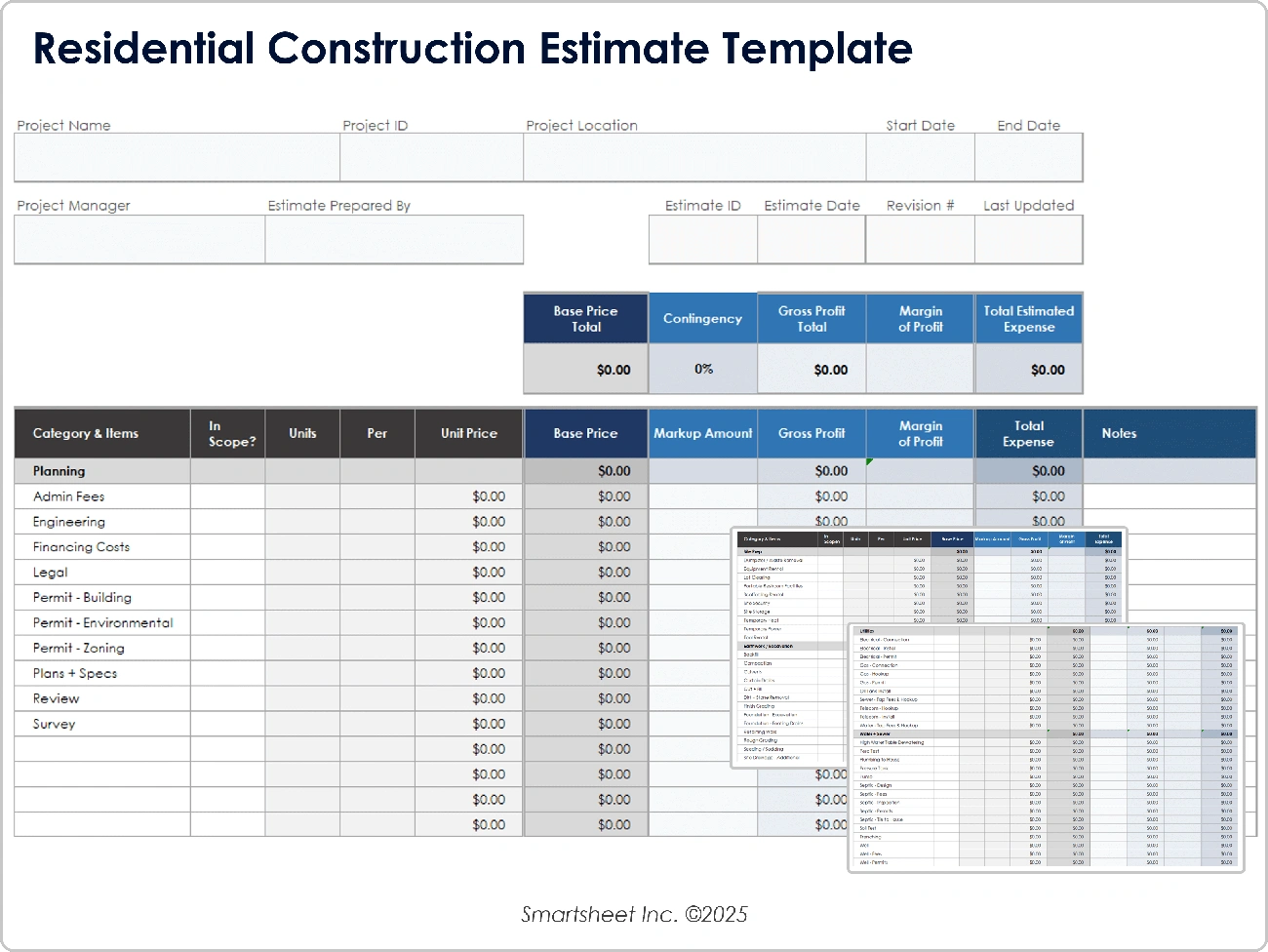
Spreadsheets (Excel)
Great for simple jobs. Weak for collaboration and version control.
Comparison Table
| Tool | Best For | Takeoff | Estimating | Collaboration | Pricing Style |
|---|---|---|---|---|---|
| Bidi Contracting | AI takeoffs + estimating in one workflow | Yes | Yes | Team-friendly outputs | Plan-based |
| STACK | Cloud takeoff + estimating | Yes | Yes | High | Annual (public/tiers) |
| PlanSwift | Desktop takeoff workflows | Yes | Limited | Medium | Annual subscription |
| ProEst | Enterprise estimating teams | Yes | Yes | High | Quote / annual |
| Buildertrend | Resi PM + client portal | Limited | Limited | High | Quote-based |
| Bluebeam | PDF markup + manual takeoff | Manual | No | High | Per-user subscription |
| Clear Estimates | Remodel quoting + database | Limited | Yes | Medium | Monthly/annual |
| Buildxact | Resi estimating + takeoff | Yes | Yes | Medium | Monthly/annual |
| Excel | Flexible templates | No | Yes | Low-medium | Subscription/one-time |
How to Switch Estimating Software Without Losing Your Historical Data
Switching estimating platforms is one of the most common reasons contractors stall on software upgrades. The fear is real: years of bid data, assemblies, unit prices, and templates sitting in one system that doesn't export cleanly to anything else. Here's how to make the transition without losing what you've built.
Step 1: Export Everything Before You Cancel
Before you touch the new platform, export your complete dataset from the old one: all historical estimates, cost databases, assemblies, templates, and any takeoff data. Most platforms export to Excel, CSV, or PDF. Get all three if you can — CSV for data portability, Excel for formula preservation, PDF as a permanent record.
If your old software doesn't export well (a common issue with legacy desktop tools), take screenshots of your key assemblies and print critical bid records to PDF. It's tedious, but it's your safety net.
Step 2: Migrate Templates First, Not Data
The most valuable thing you own isn't past bid data — it's your estimating logic: your assemblies, your labor rates, your markup tiers. Recreate these in the new system before you migrate any project history.
Start with your top 5–10 most-used assemblies. Once those work correctly in the new platform, you've proven out the core workflow. Historical project data can follow; your active bid templates can't wait.
Step 3: Run Both Systems in Parallel for 30 Days
Don't cancel the old subscription the day you sign the new one. Plan for a 30-day parallel run where you complete at least 3–5 real bids in the new system while keeping the old one available. This reveals gaps you won't see in a demo: edge cases in your trade, line items your old system handled automatically, or integrations that don't port cleanly.
The parallel period also gives your team time to ask questions without stopping production. Trying to train people mid-bid is a reliable way to create errors.
Step 4: Train Your Team Before You Need It
The biggest implementation failure is treating software training as an afterthought. Schedule structured walkthroughs of the new system before the transition, focused on the exact workflow your estimators use daily — not a general product tour.
For teams of 2–5 estimators, budget 4–8 hours of hands-on training, not just vendor videos. For larger teams, designate one internal champion who knows the system deeply and can answer questions without opening a support ticket every time.
A clean transition takes 60–90 days from decision to full production. If a vendor is promising you'll be fully operational in a week, ask them specifically about template migration and historical data — that's where the real time goes.
Construction Estimating Software Pricing: What to Expect in 2026
Pricing structures vary significantly across the category, and the advertised price rarely reflects the total cost of ownership. Here's what to actually expect.
Subscription vs. One-Time License
Almost all cloud-based platforms have moved to annual subscriptions. The last major holdout in this category was desktop software like PlanSwift, which now also offers annual subscriptions. One-time perpetual licenses are rare — and platforms that offer them typically charge more upfront and less predictably over time for upgrades.
Per-User vs. Per-Project Pricing
| Pricing Model | Example Tools | Best For |
|---|---|---|
| Per user / seat | STACK, ProEst, Bluebeam | Teams with consistent monthly bid volume |
| Per project / plan | Bidi Contracting | Contractors with variable bid volume |
| Flat monthly (all users) | Clear Estimates, Buildxact | Small teams, simpler needs |
| Custom / quote-based | Buildertrend, ProEst enterprise | Larger orgs, negotiated volume |
Per-user pricing scales poorly for small GCs who add occasional estimating help. Per-project pricing can get expensive if you're uploading plans for every small job. Know your bid volume before you commit to a model.
Pricing Ranges by Tier
| Tier | Typical Annual Cost | What You Get |
|---|---|---|
| Entry / self-service | $0–$1,200/year | Templates, basic formulas (Excel), simple quoting |
| Mid-tier cloud tools | $1,200–$3,600/year | Digital takeoffs, cost databases, collaboration |
| Full estimating platforms | $3,600–$7,200/year | Multi-user, assemblies, bid day workflow, integrations |
| Enterprise | $7,200+/year | Unlimited seats, Autodesk ecosystem, dedicated support |
Hidden Costs to Budget For
Training: Most vendors include initial onboarding, but deep training — especially for custom assemblies and cost databases — often costs extra or requires significant internal time. Budget 10–20 hours per estimator in the first 90 days.
Integrations: Connecting estimating software to your accounting system (QuickBooks, Sage, Procore) is frequently an add-on or requires a third-party connector like Zapier or a custom API build. Ask specifically which integrations are native and which require extra setup or cost.
Data migration: Moving years of estimates and assemblies from one platform to another is rarely included in the base price. If a vendor offers migration support, confirm what's actually included — often it covers format conversion, not assembly rebuilding.
Annual increases: SaaS software typically increases 5–15% annually. Lock in multi-year pricing if you're confident in the platform after your parallel run.
The all-in cost of a mid-tier platform over three years — including subscription, onboarding, integrations, and training time — commonly runs 2–3x the advertised annual subscription price. Factor that into your comparison, not just the per-month number.
Frequently Asked Questions
What is the best construction estimating software for general contractors in 2026?
For general contractors who want an end-to-end workflow — takeoffs, sub outreach, and bid leveling — Bidi Contracting is the top choice in 2026. For standalone digital takeoffs, STACK is the most widely used cloud platform. For small GCs on a budget, Clear Estimates or Excel provide a solid starting point.
How much does construction estimating software cost?
Construction estimating software ranges from free (Excel templates) to $1,500+ per month for enterprise platforms. Mid-tier cloud tools like STACK and PlanSwift typically run $200–$600/month. Bidi Contracting's pricing is project-based — see bidicontracting.com/pricing for current plans.
What's the difference between takeoff software and estimating software?
Takeoff software measures quantities from digital plans (linear feet, square footage, counts). Estimating software applies unit costs to those quantities to build a bid. Many platforms now combine both. Bidi goes a step further by automating the bid collection workflow on top of the takeoff.
Can AI do construction estimating?
Yes — AI construction estimating tools like Bidi Contracting use computer vision to extract quantities directly from PDF plans, then automate sub outreach and bid leveling. This cuts manual estimating time by up to 80% on most projects.
Is Autodesk Takeoff worth it in 2026?
Autodesk Takeoff (part of Construction Cloud) is a solid enterprise choice for large GCs already on Autodesk's platform. For mid-size contractors, the cost ($500+/month) and complexity are hard to justify against more targeted tools like STACK or Bidi. Our full review is above.
Looking for more? If you're a smaller operation, see our dedicated guide: Best Construction Estimating Software for Small Contractors (2026) — built specifically for independent GCs and sub-10-person teams. For takeoff-focused tools, check Best Construction Takeoff Software in 2026.


